- Your team answers repeated ticket types every week
- Agents search several places before they can reply
- You have documentation, or closed tickets to learn from
- A support lead owns the queue and its results
- Technicians will approve replies before they send
For IT services support teams
Your service desk, drafted.
A support agent that drafts L1 ticket replies from your own documentation. It never emails your clients — every draft waits for a technician to approve it. Free on your queue for 14 days.
- Trial
- 14 days free
- Tickets
- 100 included
- Mode
- Suggest-only
- Setup
- One forwarding rule
No PSA access. No credentials. Nothing to install.
The constraint that makes it safe to try
It never sends anything to your clients.
Every reply the agent writes waits for a technician to approve, edit, or discard. Through the whole trial, nothing reaches an end user. The safeguard that makes this comfortable to run on a live queue is built in, not an option you have to remember to switch on.
Built for a specific team
For IT services teams answering the same L1 tickets every week.
- You only want a general chatbot
- There are no repeated tickets to learn from
- You cannot share sample tickets or approved knowledge
- You want AI to email clients without review
- You need a production platform built in two weeks
The free trial
A working agent on your real queue, for two weeks.
Drafts from your own knowledge
It answers L1 tickets using your documentation, or a knowledge base we build from your closed tickets.
Suggest-only, always
Every draft waits for a technician. Nothing reaches a client during the trial.
One mailbox, 100 tickets
Enough real volume to judge reply quality, running until the free allowance is used.
A live dashboard
See every draft, the knowledge it used, and the tickets it escalated instead of answering.
A weekly ROI report
Hours saved, calculated from your own per-ticket times. Your numbers, your arithmetic.
The agent drafts. Your team decides.
AI prepares the reply. A technician approves it.
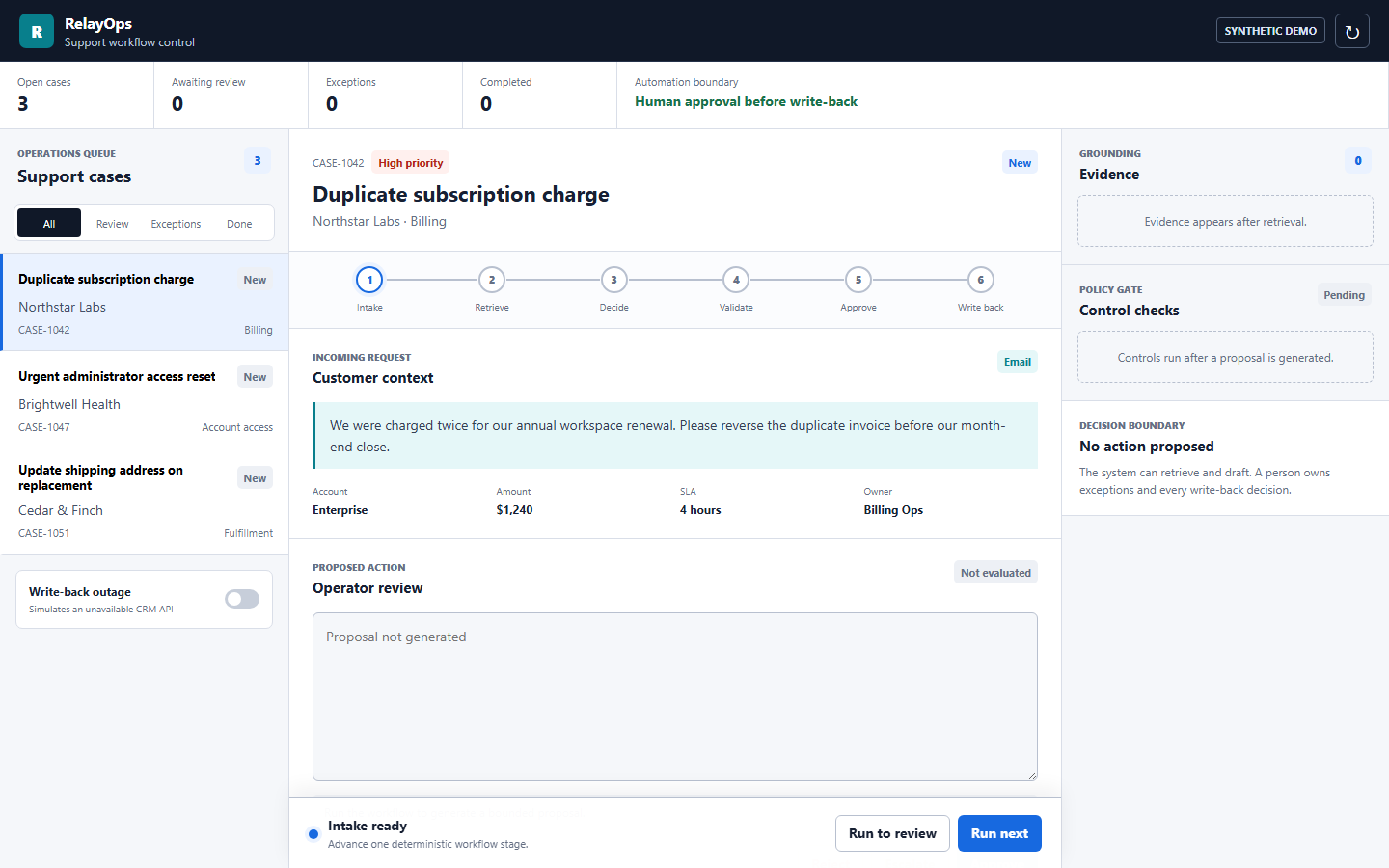
The agent classifies the ticket, retrieves approved knowledge, and drafts the response. People still own exceptions, approvals, and anything sensitive. Low-confidence tickets are escalated, not guessed at.
Approved knowledge only
Evidence with every draft
Human approval before anything sends
Setup takes five minutes
One forwarding rule, and the agent is on your queue.
No PSA access, no credentials, nothing installed on your side. Your data is used only to draft replies, is never shared, and is deleted when the trial ends.
- 1
Point one mailbox at us
Add a forwarding rule for the queue you want drafted. That is the entire install.
- 2
We learn your answers
From your documentation, or a knowledge base mined from the closed tickets you send.
- 3
Drafts start landing
Every new ticket arrives with a suggested reply, waiting for a technician to approve.
- 4
You get the numbers
A weekly report shows hours saved, using the per-ticket times your team gave us.
Before and after
From rebuilding the same answer to approving one already drafted.
Agents rebuild the same answer
Context is scattered across tickets, docs, and systems, so every repeated question is answered from scratch.
Replies arrive already drafted
Common tickets come with an approved-knowledge draft attached. Technicians edit and send instead of starting cold.
Free trial, then a paid pilot
USD 0 to start.
The trial is free for 14 days. If it is earning its place, the pilot turns on unlimited tickets, more mailboxes, auto-send on the categories you choose, and write-back to your PSA. When you want more workflows like it, the Opportunity Sprint maps the next three.
- Trial
- Free, 14 days, suggest-only
- Pilot
- Paid, unlimited, auto-send you choose
- More workflows
- Opportunity Sprint, USD 1,500-3,000
- Software build
- Priced per workflow
Before we set it up
Five questions tell us whether your queue is a fit.
- 01
Which support team and ticket queue should the agent draft?
- 02
Which ticket types repeat most often?
- 03
Where do agents search for answers and account context today?
- 04
Which replies must always be approved by a person?
- 05
What result would make the paid pilot worth turning on?
FAQ
Clear scope. Nothing reaches a client without approval.
Start on your queue
See the agent drafting your L1 tickets in two weeks.
Setup is one forwarding rule. It never emails your clients. At the end you get a report in your own numbers. Rather see it on your data first? Ask for the knowledge base we build from 300 of your closed tickets.